
















Low Voltage Touch Sensor Power Design: A Beginner’s Guide
The Problem :
Â
Touch sensors are commonly used in DIY projects and industrial automation to detect user interaction without mechanical switches. However, ensuring that a touch sensor works efficiently at low voltages (3.3V or 5V) can be tricky. When the voltage is too low, the sensor may not trigger properly, leading to inconsistent results.
Â
The Solution :
Â
The main challenge is that touch sensors need stable power and proper grounding to detect changes accurately. A weak power source or incorrect resistor value can cause the sensor to misfire. To fix this, ensure the power supply is steady and use a pull-up resistor (typically 10kΩ) to maintain a stable high state when the sensor is not pressed.
Â
Practical Example :
Â
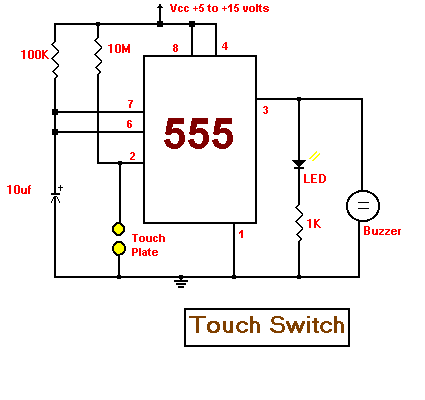
Consider a simple project where you use a TTP223 touch sensor to control an LED. If the LED flickers or doesn’t respond properly, check your power source and ensure the ground is properly connected. Adding a 10kΩ pull-up resistor between VCC and the sensor’s signal pin can stabilize the output.
Â
Sample Calculation :
Â
   For a 3.3V power source:
Desired pull-up current: ~0.33mA (for stable logic high)
Resistor value: R = V/I = 3.3V/0.33mA ≈ 10kΩ
Â
Recommended Components :
Â
TTP223 touch sensor module – Ideal for low-voltage touch applications.
10kΩ resistor – Ensures signal stability.
Support our work and India’s innovation—buy from our Make in India site!