


















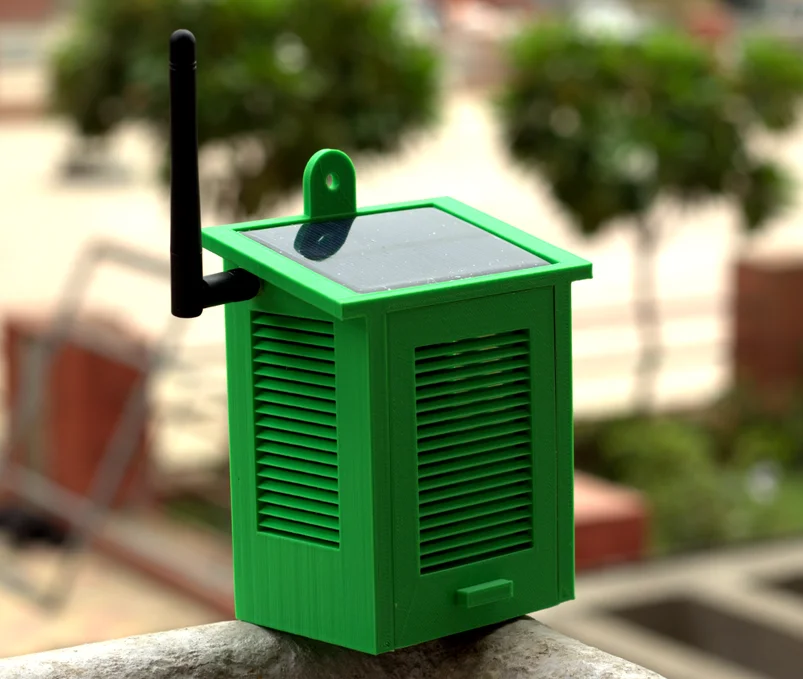
DIY Solar Powered WiFi Weather Station
Do you want to measure the weather yourself? In this project, we will build a Solar Powered WiFi Weather Station. It uses sensors, a solar panel, and WiFi to collect weather data and send it to your phone or computer.
This is a fun way for students to learn about solar energy, sensors, and IoT (Internet of Things).
🛠️ Materials Needed
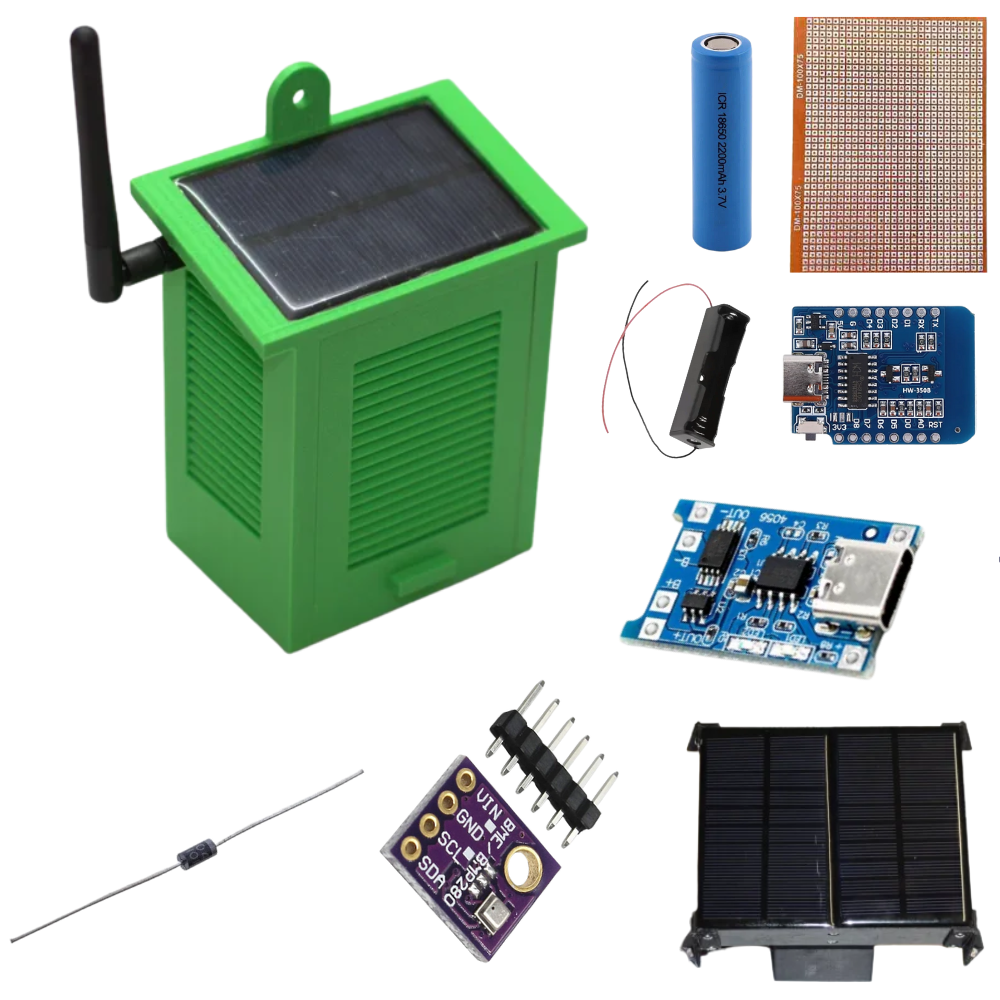
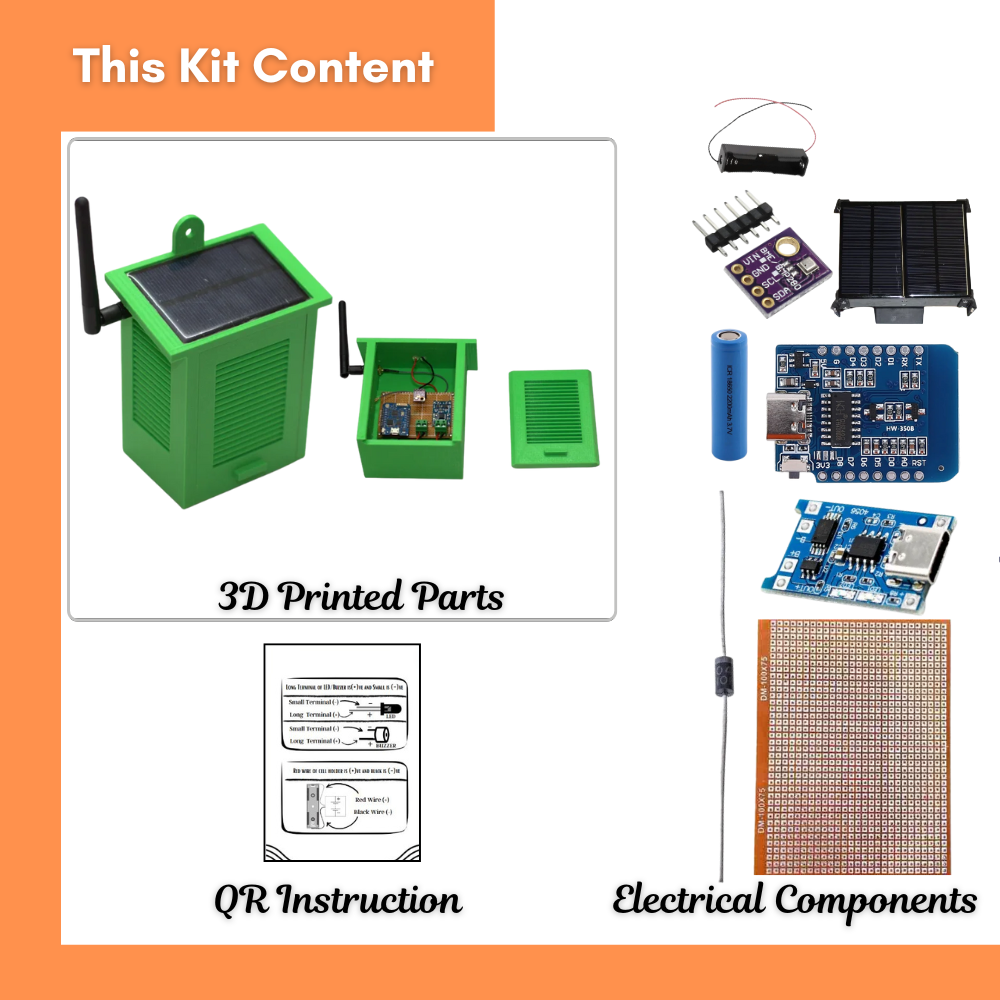
Arduino board with WiFi (NodeMCU ESP8266 or ESP32)
DHT11 or DHT22 Sensor (for temperature & humidity)
BMP180 / BME280 Sensor (for pressure & more data)
Solar Panel (5V–6V)
Rechargeable Battery + Charging Module
Wires & Breadboard
Small enclosure box (for outdoor use)
⚡ Circuit Diagram (Basic Idea)
[Solar Panel] → [Charge Controller] → [Battery]
|
[ESP8266 / ESP32]
|
——————————
| | |
DHT11/22 BME280 Sensor WiFi Signal → Phone/PC
👉 Solar panel charges the battery.
👉 Arduino with WiFi reads data from sensors.
👉 Data is sent wirelessly to your phone or PC.
📝 Step-by-Step Instructions
Connect the solar panel to the battery through a charging module.
Wire the sensors to the WiFi board:
DHT11/22 → Data pin (D2)
BME280 → I2C pins (SDA to D1, SCL to D2)
Upload Arduino code to read data from sensors.
Set up WiFi so the board connects to your home network.
Open the serial monitor or a simple web page → You will see live weather data!
Arduino Code
#include <ESP8266WiFi.h>
#include “DHT.h”
// — DHT Sensor Setup —
#define DHTPIN D2 // GPIO pin where DHT11 is connected
#define DHTTYPE DHT11 // Sensor type: DHT11
DHT dht(DHTPIN, DHTTYPE);
// — WiFi Credentials —
const char* ssid = “YourWiFi”; // Replace with your WiFi SSID
const char* password = “YourPassword”; // Replace with your WiFi password
WiFiServer server(80); // Create a web server on port 80
// — Setup Function —
void setup() {
Serial.begin(9600);
dht.begin();
// Connect to WiFi
Serial.println(“Connecting to WiFi…”);
WiFi.begin(ssid, password);
while (WiFi.status() != WL_CONNECTED) {
delay(500);
Serial.print(“.”);
}
Serial.println(“\nWiFi Connected!”);
Serial.print(“IP Address: “);
Serial.println(WiFi.localIP());
server.begin();
Serial.println(“Web server started.”);
}
// — Main Loop —
void loop() {
WiFiClient client = server.available();
if (!client) return;
// Wait until the client sends data
while (!client.available()) {
delay(1);
}
// Read temperature and humidity
float temp = dht.readTemperature();
float hum = dht.readHumidity();
// Check if readings are valid
if (isnan(temp) || isnan(hum)) {
Serial.println(“Failed to read from DHT sensor!”);
return;
}
// Print readings to Serial Monitor
Serial.print(“Temperature: “);
Serial.print(temp);
Serial.print(” °C, Humidity: “);
Serial.print(hum);
Serial.println(” %”);
// Send HTTP response to client
client.print(“HTTP/1.1 200 OK\r\n”);
client.print(“Content-Type: text/html\r\n”);
client.print(“Connection: close\r\n\r\n”);
client.print(“<!DOCTYPE HTML>”);
client.print(“<html>”);
client.print(“<head><title>ESP8266 Weather Station</title></head>”);
client.print(“<body style=’font-family: Arial; text-align: center;’>”);
client.print(“<h1>ESP8266 Weather Station</h1>”);
client.print(“<p>Temperature: <b>”);
client.print(temp);
client.print(” °C</b></p>”);
client.print(“<p>Humidity: <b>”);
client.print(hum);
client.print(” %</b></p>”);
client.print(“</body></html>”);
}
Video
🎓 What You Learned
Solar panels can power small IoT devices.
Sensors measure temperature, humidity, and pressure.
WiFi boards send data to your phone/computer.
This is a real example of smart cities and renewable energy.
✅ Safety Tips
Use only rechargeable batteries with the solar panel.
Place the station in a waterproof box if using outdoors.
Handle electronics carefully when wiring.
Conclusion
The DIY Solar Powered WiFi Weather Station is a perfect project to learn about renewable energy, sensors, and IoT. It shows how sunlight can power technology that helps us understand the environment.
You can expand the project by:
Adding more sensors (rain, wind, light).
Storing data on the cloud.
Creating a mobile app for live weather updates.