



















DIY Obstacle Avoiding Pet Dog Robot – Arduino Project
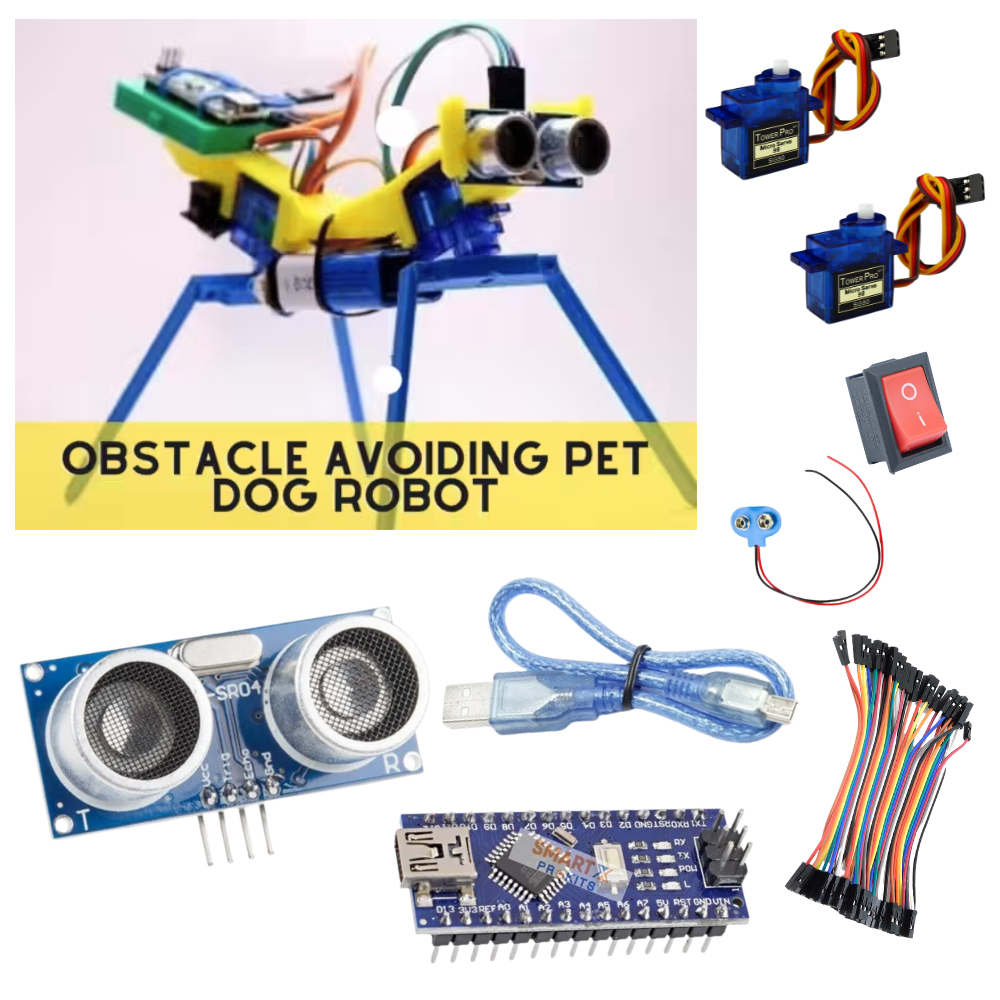
Have you ever wanted to make a robotic pet dog? In this project, we will build Tomy the Robotic Dog 🐕 – a robot that can walk and avoid obstacles using Arduino, servo motors, and an ultrasonic sensor.
This is a fun STEM project for students who want to learn about robotics, coding, and sensors.
🛠️ Materials Needed
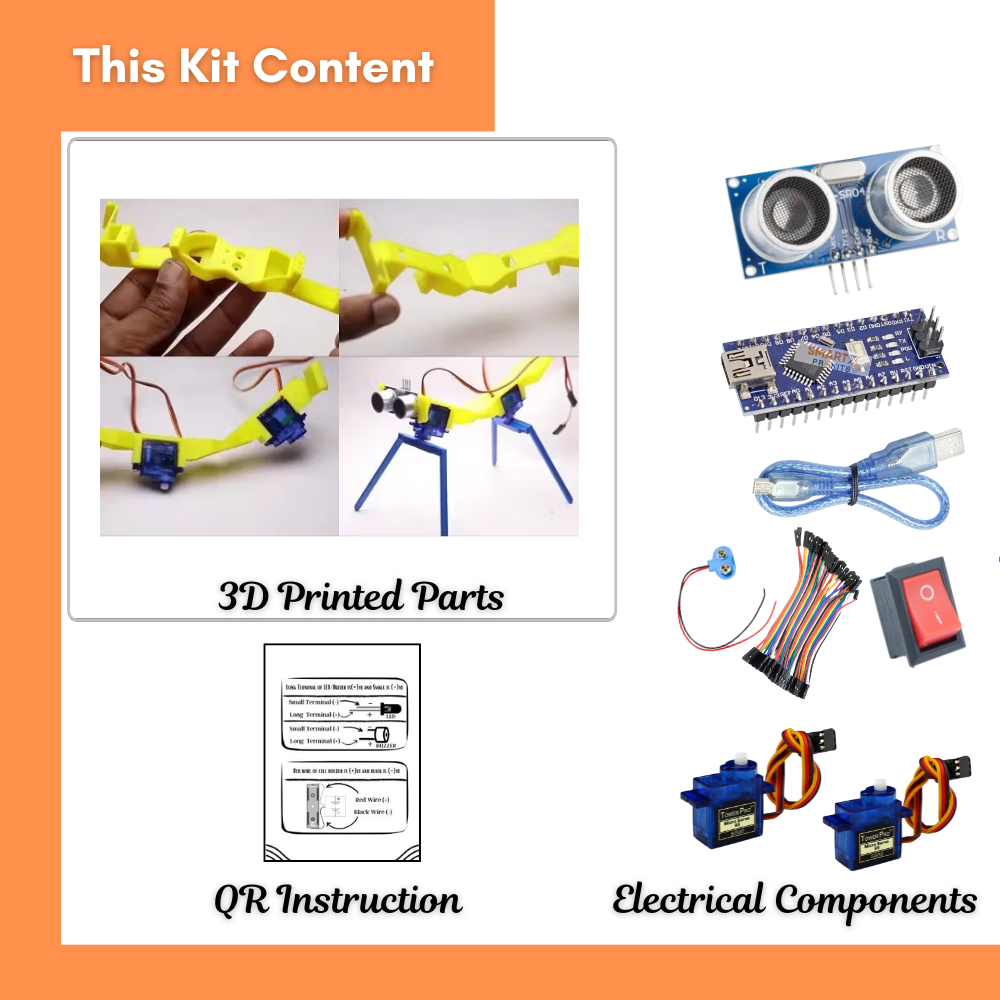
Arduino Nano (or Uno)
2–4 Servo Motors (for legs)
Ultrasonic Distance Sensor (HC-SR04)
9V Battery + Switch
Jumper Wires
3D Printed or DIY Robot Body (cardboard, wood, or plastic)
⚡ Circuit Diagram (Basic Idea)
[Ultrasonic Sensor HC-SR04]
Trig → A3
Echo → A4
VCC → 5V
GND → GND
[Servos for Legs]
Servo1 Signal → D3
Servo2 Signal → D10
VCC → 5V
GND → GND
[Battery 9V] → Arduino Vin & GND
👉 The ultrasonic sensor acts as the eyes of the robot.
👉 The Arduino decides movement (forward/backward) based on sensor distance.
👉 Servos move the robot’s legs to walk.
📝 Step-by-Step Instructions
Build the body of the robot using 3D printed parts or cardboard. Attach servos as legs.
Attach the ultrasonic sensor at the front (like robot’s eyes).
Connect the servo motors to Arduino pins (D3, D10) and power them.
Connect the ultrasonic sensor to pins A3 (Trig) and A4 (Echo).
Upload Arduino code (see below).
Power the robot with a 9V battery and switch it ON.
Place the robot on the ground → It will start walking forward.
When it sees an obstacle, it will stop and walk backward/turn.
Arduino Code
#include <Servo.h>
// ———- Servo Setup ———-
Servo leftLeg;
Servo rightLeg;
// ———- Ultrasonic Sensor Pins ———-
const int trigPin = A3;
const int echoPin = A4;
// ———- Distance Threshold (in cm) ———-
const int OBSTACLE_DISTANCE = 15; // Stop or step back when object is closer than 15 cm
// ———- Servo Positions ———-
const int CENTER_POS = 90; // Neutral position
const int FORWARD_LEFT = 60; // Left leg forward
const int FORWARD_RIGHT = 120; // Right leg forward
const int BACKWARD_LEFT = 120; // Left leg backward
const int BACKWARD_RIGHT = 60; // Right leg backward
void setup() {
// Attach servos
leftLeg.attach(3);
rightLeg.attach(10);
// Ultrasonic sensor pins
pinMode(trigPin, OUTPUT);
pinMode(echoPin, INPUT);
// Start serial for debugging
Serial.begin(9600);
// Initialize legs in center position
leftLeg.write(CENTER_POS);
rightLeg.write(CENTER_POS);
delay(500);
}
// ==========================================================
// Function: readDistance
// Description: Measures distance using HC-SR04
// ==========================================================
long readDistance() {
// Send trigger pulse
digitalWrite(trigPin, LOW);
delayMicroseconds(2);
digitalWrite(trigPin, HIGH);
delayMicroseconds(10);
digitalWrite(trigPin, LOW);
// Measure echo response
long duration = pulseIn(echoPin, HIGH, 20000); // Timeout 20ms
// If no echo is received
if (duration == 0) return -1;
// Convert duration to distance in cm
return duration * 0.034 / 2;
}
// ==========================================================
// Main loop
// ==========================================================
void loop() {
long distance = readDistance();
Serial.print(“Distance: “);
Serial.print(distance);
Serial.println(” cm“);
if (distance > 0 && distance > OBSTACLE_DISTANCE) {
// —- Walk Forward —-
walkForward();
}
else if (distance > 0 && distance <= OBSTACLE_DISTANCE) {
// —- Step Back —-
stepBack();
}
else {
// —- Stop if no reading —-
stopLegs();
}
}
// ==========================================================
// Function: Walk Forward
// ==========================================================
void walkForward() {
leftLeg.write(FORWARD_LEFT);
rightLeg.write(FORWARD_RIGHT);
delay(400);
leftLeg.write(FORWARD_RIGHT);
rightLeg.write(FORWARD_LEFT);
delay(400);
stopLegs(); // stabilize after step
}
// ==========================================================
// Function: Step Backward
// ==========================================================
void stepBack() {
leftLeg.write(BACKWARD_LEFT);
rightLeg.write(BACKWARD_RIGHT);
delay(600);
stopLegs(); // stabilize after step
}
// ==========================================================
// Function: Stop Legs
// ==========================================================
void stopLegs() {
leftLeg.write(CENTER_POS);
rightLeg.write(CENTER_POS);
delay(200);
}
Video
🎓 What You Learned
Servo motors act like muscles for robot legs.
The ultrasonic sensor is the eye that detects obstacles.
Arduino decides movements using if/else logic.
You built a walking obstacle-avoiding robot!
✅ Safety Tips
Use rechargeable batteries for long use.
Avoid running servos for too long without breaks.
Keep robot wires neat to prevent tangling.
Conclusion
This DIY Obstacle Avoiding Pet Dog Robot is a great project to learn robotics, coding, and creativity. It shows how sensors and motors work together to make a robot “think” and “move.”
You can expand the project by:
Adding more servos for smoother walking.
Using Bluetooth/WiFi to control the dog.
Programming it to bark with a buzzer 🎵.