


















Bluetooth Controlled Rocker Bogie Robot Kit
In this project, students will design and build a rocker-bogie style rover (like NASA’s Mars and Moon rovers) controlled via Bluetooth and Arduino.
The rover will be driven wirelessly from a smartphone app, and students will learn mechanics, electronics, and coding in one exciting project.
🛠️ Materials Needed
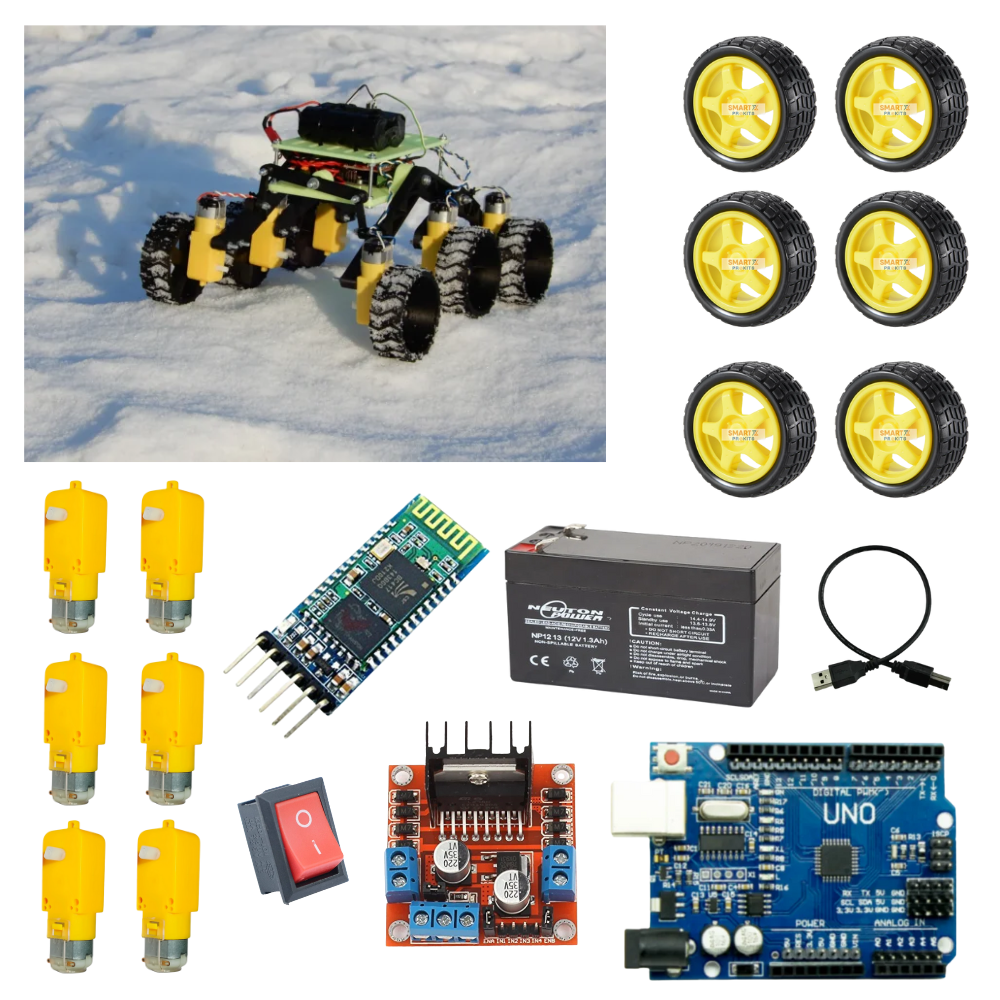
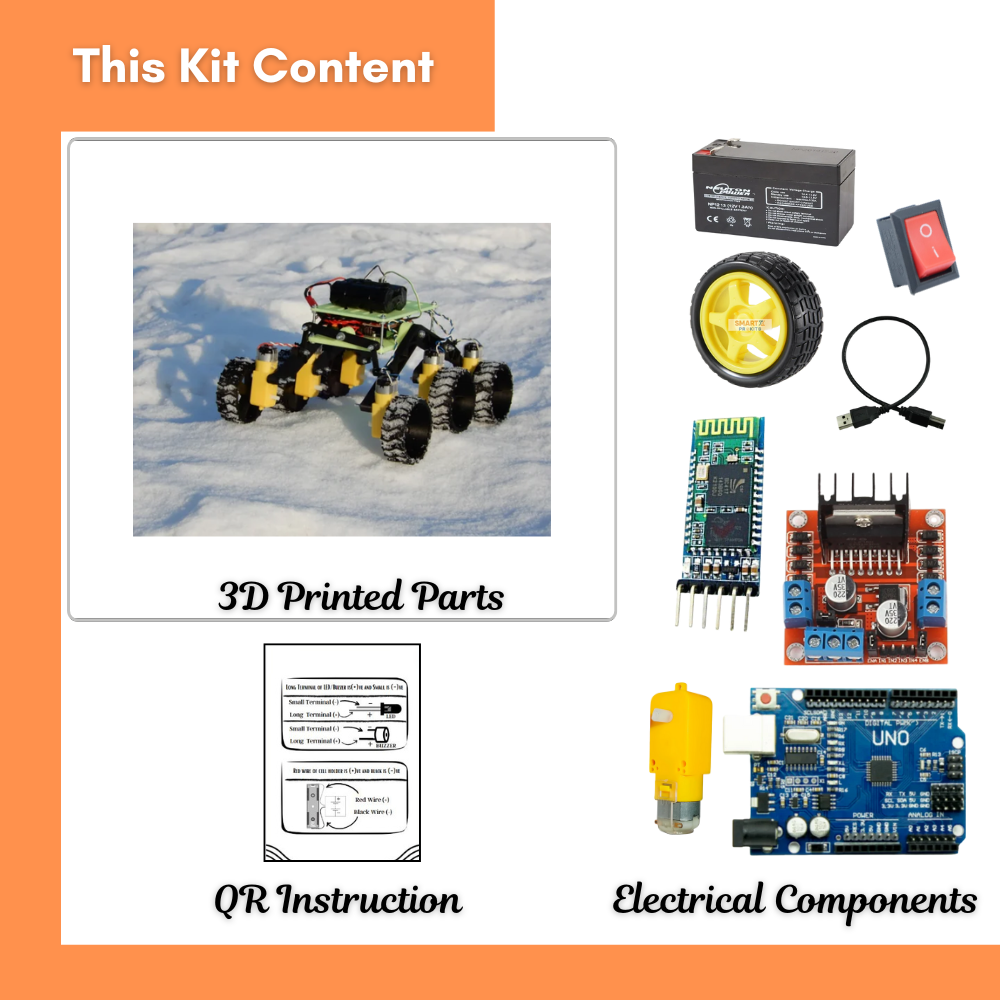
Arduino Uno (or Nano)
HC-05 Bluetooth Module
L298N Motor Driver (or DRV8833)
6 × DC Motors (for rocker-bogie drive system)
3D-printed or handmade rocker-bogie chassis (cardboard/plastic also works)
Wheels (3D-printed or toy wheels)
Battery Pack (7.4V Li-ion or AA pack)
Switch
Jumper wires and soldering tools
Smartphone with Bluetooth control app
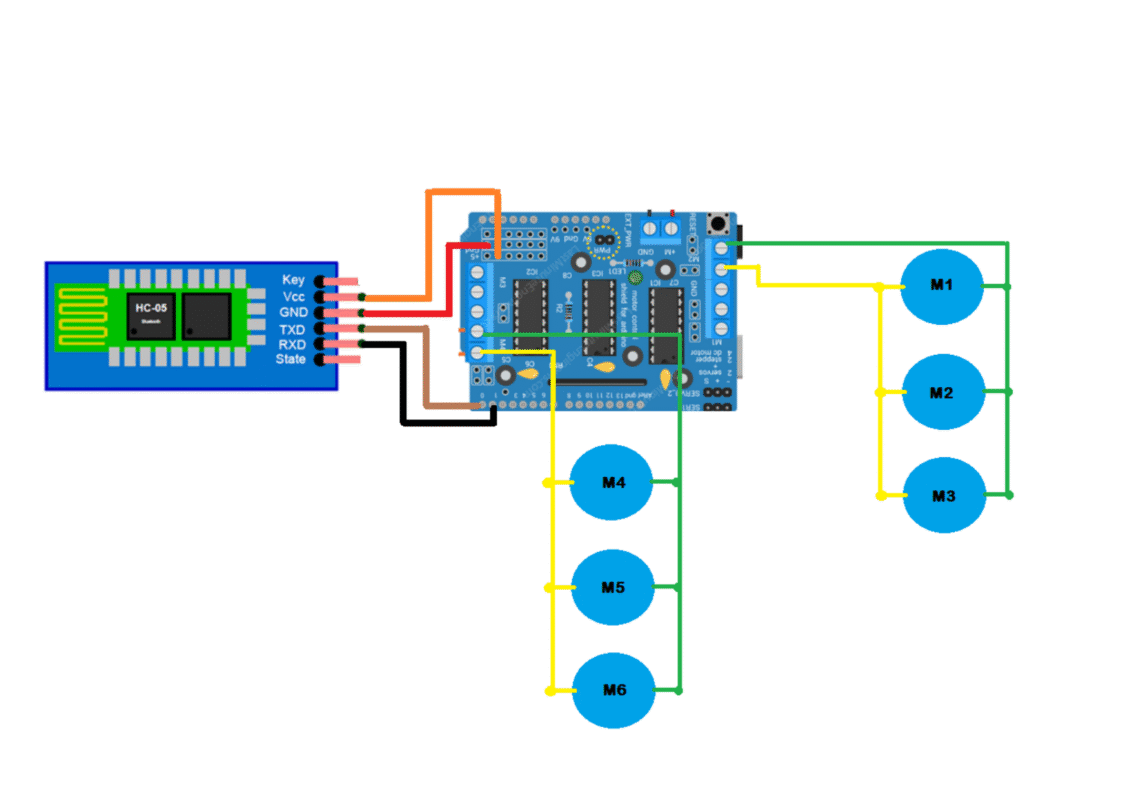
Circuit Diagram
🏗️ Step 1: Build the Rocker-Bogie Chassis
The rocker-bogie system is a special suspension that allows rovers to climb rocks and uneven ground.
3D print or craft the arms, joints, and base chassis.
Mount three wheels per side:
Two on the rocker arm
One on the bogie arm
Ensure the arms rotate freely with bolts or screws.
Attach motors to each wheel mount.
👉 Tip: If 3D printing is not available, you can make the arms with wood or cardboard for a demo model.
🔌 Step 2: Wire the Electronics
Connect all motors to the L298N motor driver(s).
Connect HC-05 Bluetooth module to Arduino:
VCC → 5V
GND → GND
TX → D10
RX → D11
Connect motor driver inputs to Arduino pins: D2, D3, D4, D5.
Connect battery pack to motor driver VCC and GND.
💻 Step 3: Arduino Code (Bluetooth Controlled)
// ——– Bluetooth Controlled Rover ——–
// SmartXProKits Student Edition
// ——————————————–
// Define motor driver pins
const int motorA1 = 2; // Left Motor Forward
const int motorA2 = 3; // Left Motor Backward
const int motorB1 = 4; // Right Motor Forward
const int motorB2 = 5; // Right Motor Backward
char command; // Variable to store incoming Bluetooth command
void setup() {
// Initialize Serial Monitor and Bluetooth communication
Serial.begin(9600);
// Set motor control pins as outputs
pinMode(motorA1, OUTPUT);
pinMode(motorA2, OUTPUT);
pinMode(motorB1, OUTPUT);
pinMode(motorB2, OUTPUT);
// Initially stop the rover
stopRover();
Serial.println(“Bluetooth Rover Ready. Waiting for commands…”);
}
void loop() {
// Check if data is available from Bluetooth module
if (Serial.available() > 0) {
command = Serial.read(); // Read the incoming command
Serial.print(“Received Command: “);
Serial.println(command);
// Stop rover before executing new command
stopRover();
// Execute command
if (command == ‘F’) {
forward();
}
else if (command == ‘B’) {
backward();
}
else if (command == ‘L’) {
leftTurn();
}
else if (command == ‘R’) {
rightTurn();
}
else if (command == ‘S’) {
stopRover();
}
}
}
// ——– Movement Functions ——–
// Move Forward
void forward() {
digitalWrite(motorA1, HIGH);
digitalWrite(motorA2, LOW);
digitalWrite(motorB1, HIGH);
digitalWrite(motorB2, LOW);
Serial.println(“Moving Forward”);
}
// Move Backward
void backward() {
digitalWrite(motorA1, LOW);
digitalWrite(motorA2, HIGH);
digitalWrite(motorB1, LOW);
digitalWrite(motorB2, HIGH);
Serial.println(“Moving Backward”);
}
// Turn Left
void leftTurn() {
digitalWrite(motorA1, LOW);
digitalWrite(motorA2, HIGH);
digitalWrite(motorB1, HIGH);
digitalWrite(motorB2, LOW);
Serial.println(“Turning Left”);
}
// Turn Right
void rightTurn() {
digitalWrite(motorA1, HIGH);
digitalWrite(motorA2, LOW);
digitalWrite(motorB1, LOW);
digitalWrite(motorB2, HIGH);
Serial.println(“Turning Right”);
}
// Stop Rover
void stopRover() {
digitalWrite(motorA1, LOW);
digitalWrite(motorA2, LOW);
digitalWrite(motorB1, LOW);
digitalWrite(motorB2, LOW);
Serial.println(“Rover Stopped”);
}
This sketch lets the rover respond to commands 'F', 'B', 'L', 'R' sent from your smartphone via Bluetooth.
📱 Step 4: Control via Smartphone
Pair phone with HC-05 Bluetooth module (default PIN: 1234 or 0000).
Open a Bluetooth controller app (like “Arduino Bluetooth Controller” from Play Store).
Assign buttons to send commands:
Forward → F
Backward → B
Left → L
Right → R
🤝 Teamwork Roles
Team A: Chassis & rocker-bogie assembly
Team B: Electronics wiring & soldering
Team C: Arduino coding & Bluetooth app setup
🚀 Extension Ideas
Add an ultrasonic sensor for obstacle detection.
Add a solar panel for charging outdoors.
Try building different wheel designs for better grip on sand or rocks.
Conclusion
Congratulations! You’ve built a rocker-bogie style Moon Rover that moves like a real NASA rover 🚀🌕.
This project gives students hands-on experience with robotics, electronics, and teamwork.