



















Automatic Solar Tracker Using 3D Printed Parts
Harnessing solar energy efficiently requires positioning solar panels in the optimal direction throughout the day. An Automatic Solar Tracker solves this by automatically adjusting the panel angle to follow the sun. In this guide, we’ll walk you through building a DIY automatic solar tracker using 3D printed parts, electronics, and some simple coding.
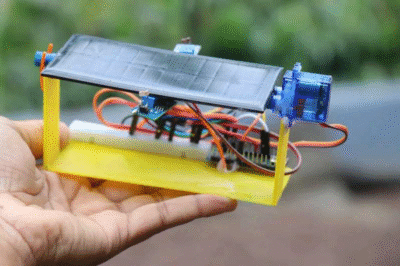
Step 1: Gather the Components
To build this project, you’ll need the following components:
– Arduino Uno (or compatible board)
– Light Dependent Resistors (LDRs)
– Servo Motors
– Resistors (10kΩ)
– Wires and Breadboard
– 3D Printed Mechanical Parts
– Solar Panel (for actual application)
Make sure you have access to a 3D printer for creating the structural parts.
Step 2: 3D Print the Mechanical Parts

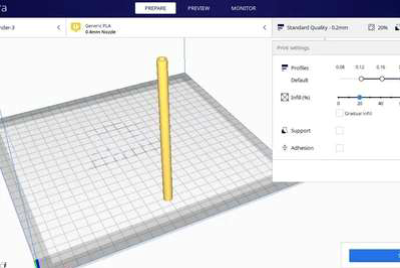
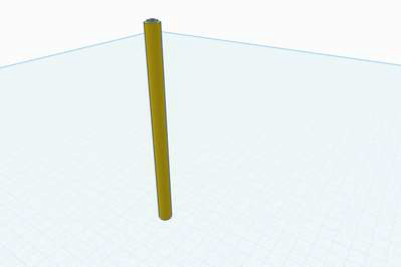
The structure of the solar tracker is created using 3D printed parts. You’ll need a base, arms, and panel holder. STL files can be downloaded from open-source repositories or designed with CAD software like Fusion 360.
Step 3: Assemble the Circuit
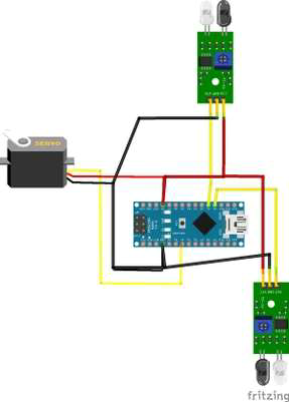
Connect the LDR sensors in a voltage divider setup. Place two LDRs on opposite sides to detect sunlight intensity difference. Connect them to the analog pins of the Arduino. Attach the servo motors to digital PWM pins to control the solar panel’s movement.
Step 4: Upload the Arduino Code
Upload a simple Arduino sketch to read the LDR values and control the servo motors accordingly. The logic is straightforward – if the left sensor receives more light, rotate the panel left; if the right sensor receives more, rotate right.
#include <Servo.h> // include Servo library
Servo sg90;
int initial_position = 90; // start at 90 degrees (center)
int LDR1 = A0; // LDR1 connected to A0
int LDR2 = A1; // LDR2 connected to A1
int error = 10; // sensitivity (smaller = more sensitive)
int servopin = 4; // Servo on pin 4 (PWM)
void setup() {
Serial.begin(9600); // enable Serial Monitor
sg90.attach(servopin);
pinMode(LDR1, INPUT);
pinMode(LDR2, INPUT);
sg90.write(initial_position);
delay(1000);
}
void loop() {
int R1 = analogRead(LDR1); // read LDR 1
int R2 = analogRead(LDR2); // read LDR 2
Serial.print(“LDR1: “);
Serial.print(R1);
Serial.print(” LDR2: “);
Serial.println(R2);
int diff = abs(R1 – R2); // difference between sensors
if (diff > error) { // only move if difference is significant
if (R1 > R2) {
initial_position -= 1; // move left
} else {
initial_position += 1; // move right
}
}
// limit servo movement between 0° and 180°
if (initial_position > 180) initial_position = 180;
if (initial_position < 0) initial_position = 0;
sg90.write(initial_position);
delay(50); // small delay for smooth movement
}
Step 5: Testing and Calibration
Place the setup under sunlight or a strong lamp. Adjust the sensitivity by changing resistor values or tweaking code thresholds until the panel accurately follows the light source.
Step 6: Final Setup
Once calibrated, mount your solar panel on the tracker. For outdoor use, ensure the frame is strong and weatherproof. The automatic tracker will now optimize energy capture throughout the day.
Conclusion
This DIY automatic solar tracker is an excellent way to learn about renewable energy, electronics, and 3D printing. It’s scalable, so you can use the same concept for larger panels. With continuous improvement, you can add dual-axis tracking, battery management, and IoT integration.