
















Build. Walk. Create. Top 5 Maker Combo Kits from SmartXProKits You’ll Love

1. Why Combo Kits are Great for STEM Learners
In the world of STEM education and maker culture, combo kits offer something special: they bring together hardware, software, mechanics, and creativity in one package. They let learners do more than just follow instructions—they encourage experimentation, modifications, and real understanding. Whether you’re introducing someone to robotics or you’re a hobbyist wanting to push your skills, combo kits make learning fun and meaningful.
SmartXProKits has some excellent combo kits that bridge the gap between beginner and intermediate levels. They’re designed not just to deliver a finished robot, but to help you learn by building. In this post, we explore five top kits and how each can help you grow as a maker.
2. What Makes SmartXProKits’ Combo Kits Stand Out
Here are some features that make these kits special:
All-in-One Learning: Electronics, mechanics, coding are included.
Wireless or Remote Features: Some kits allow wireless control, Bluetooth or remote programming.
3D-Printed or Custom Enclosures: Helps learners see the value of design & structure.
Expandable & Programmable: You can tweak code, add sensors, improve movement.
Suitable for Beginners & Intermediate Makers: You get enough complexity to learn, without being overwhelming.
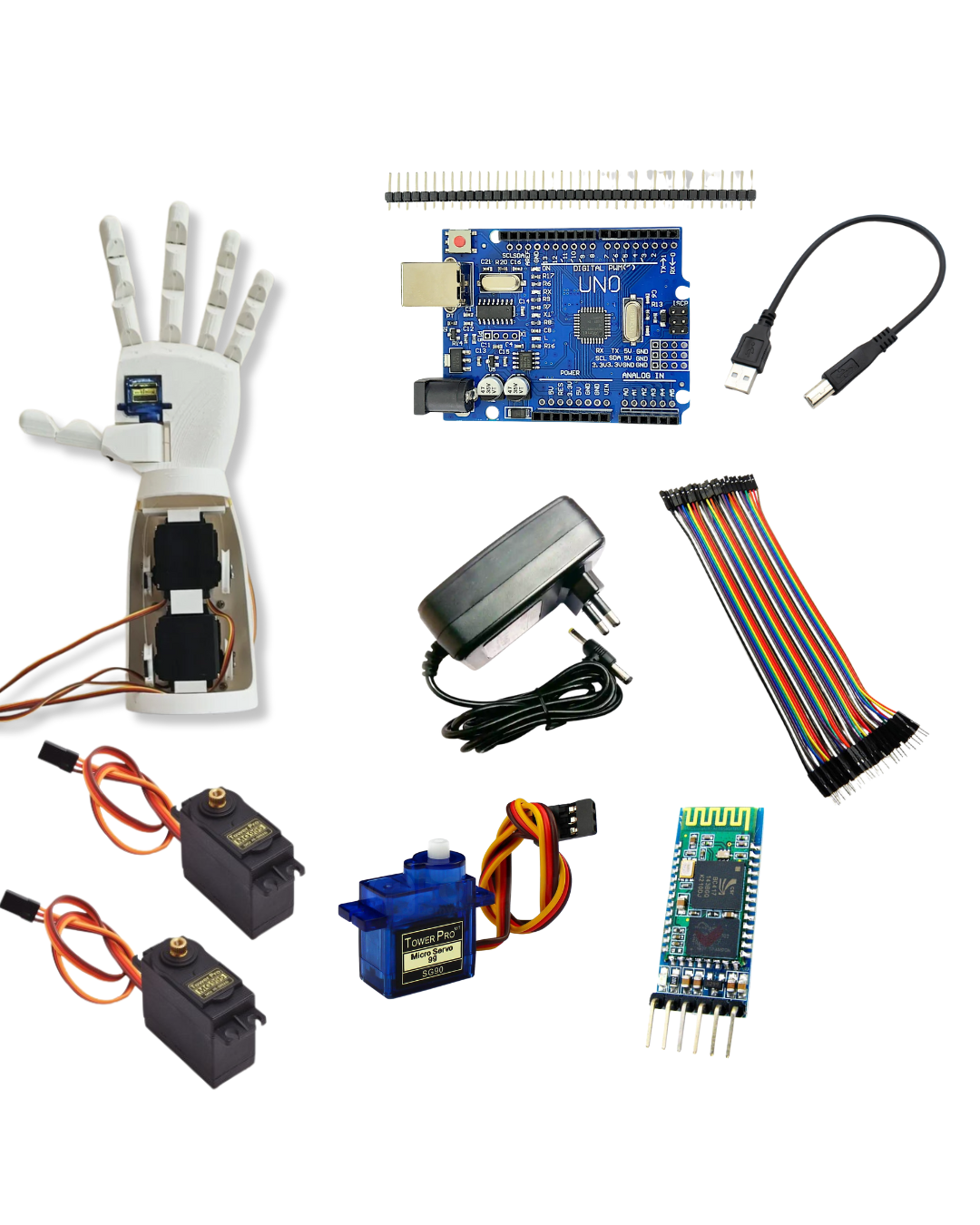
3. Kit 1: Robotic Hand Combo Kit — Wireless, Arduino-Based & Smart Control
What it is:
A combo kit that builds a smart hand (robotic hand) controlled wirelessly, based on Arduino. Likely involves servos, wireless module (perhaps Bluetooth), structure to build a wearable or remote-controlled hand.
What you’ll Learn:
Basics of actuator control (servos, possibly motors) to mimic human hand movement.
Wireless communication (Bluetooth or another protocol) to enable remote control.
Microcontroller programming: mapping control input to output movement.
Mechanical design and precision: finger joints, ranges of motion, servo torque.
Why it’s cool:
This is interactive and feels “alive” — controlling fingers, gestures is engaging and motivating. Also introduces concepts used in prosthetics / bionics in a hands-on way.
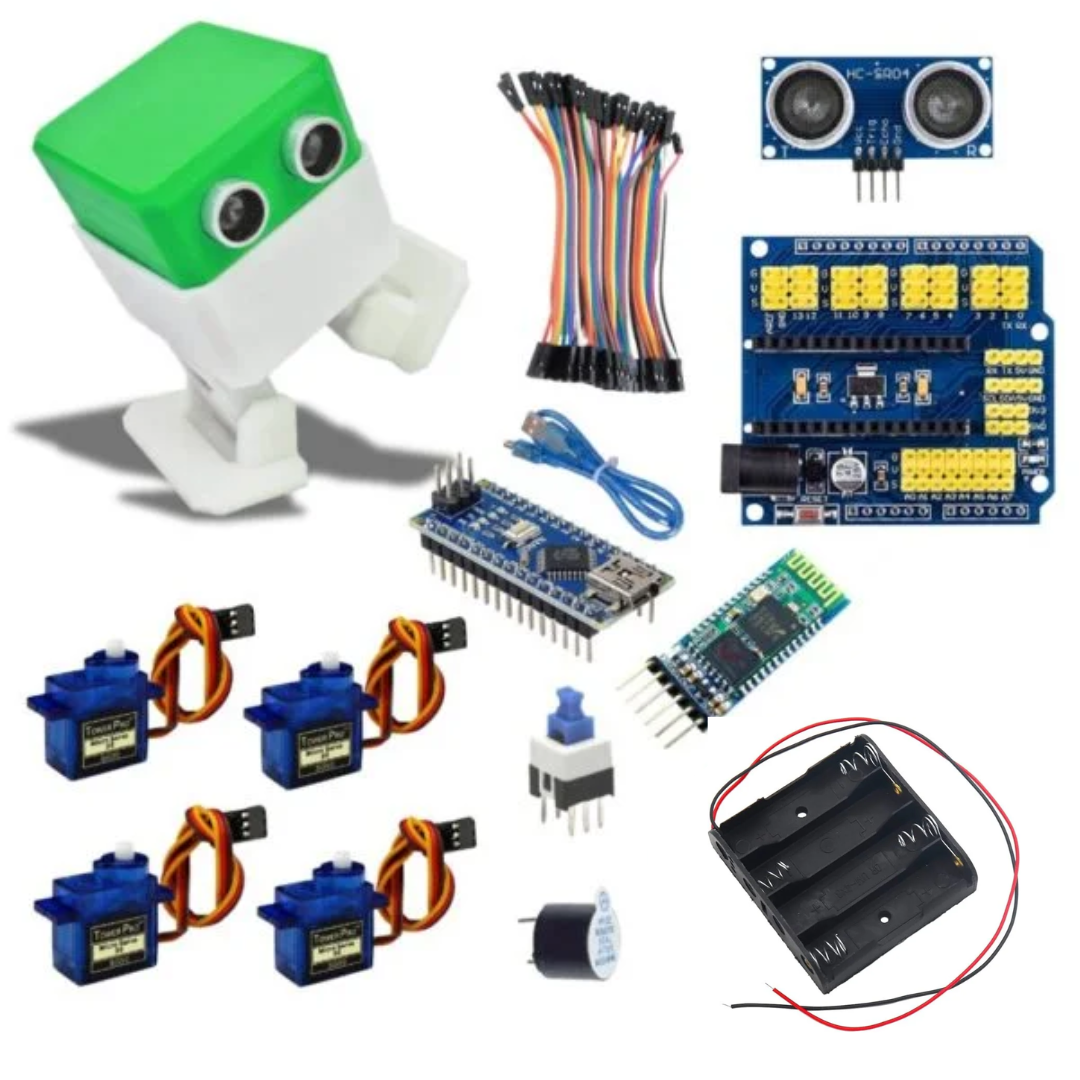
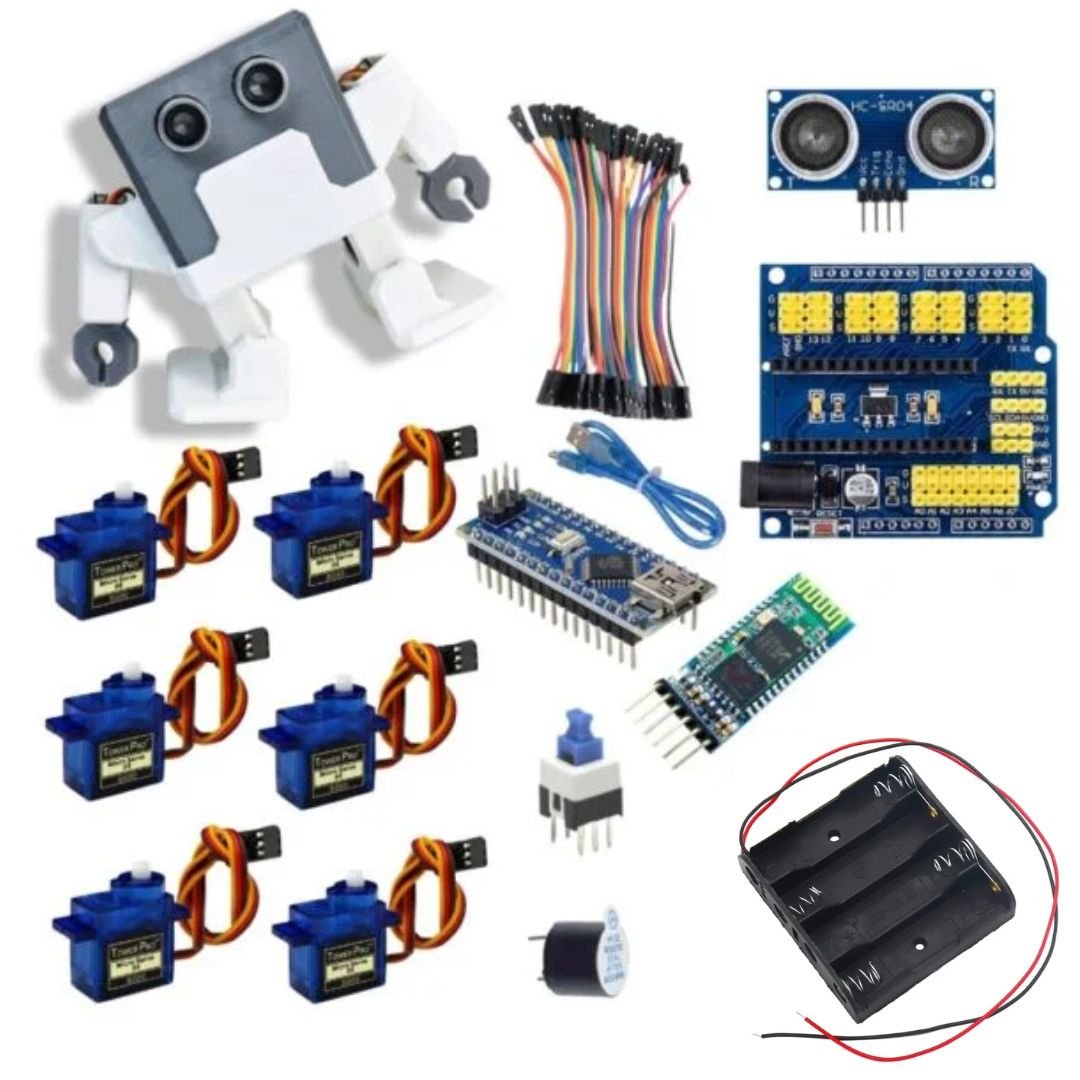
4. Kit 2: Humanoid Otto Robot Combo Kit — Walking Robot for Beginners
What it is:
A humanoid style walking robot (inspired by “Otto” type robots) designed for beginners. Likely uses standard servo motors, a microcontroller board, maybe pre-built code so that learners can get walking quickly, then experiment.
What you’ll Learn:
Gait design & timing (walking on two legs or multiple axes)
Balance & servo calibration
Code modularity: how to break down movement sequences (step, turn, walk)
Possibly sensor integration if included (for obstacle avoidance etc.)
Why ideal for beginners:
Walking robots are impressive; this one probably comes partly assembled or with clear instructions so you can get early wins. Good for school projects or as a stepping stone to more advanced robotics.
5. Kit 3: Otto DIY Robot Combo Kit — Another Variant for Programmable Walking Fun
This seems similar, likely another version or a reworked model of the Otto walking robot. May differ in parts, style, or included extras. Having multiple versions gives choices in aesthetics, complexity, or features.
Learning focus: same areas — movement, balance, programming — maybe more freedom to customize.
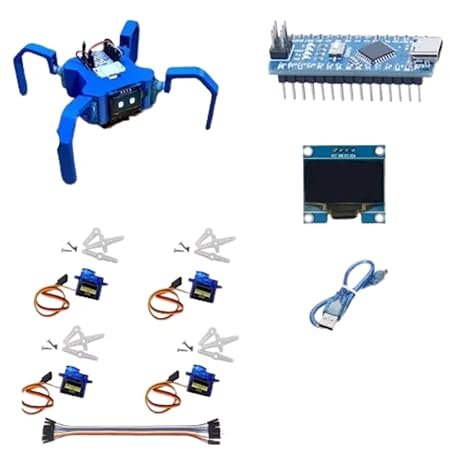
6. Kit 4: Spider Robot Combo Kit — Multi-Legged Challenge & Exploration
What it is:
A robot with multiple legs (spider style). This adds complexity in mechanical design (leg joints, number of legs), synchronization of movement (walking pattern), and likely more servos or motors.
What you’ll Learn:
Leg kinematics: how spider-style robots distribute weight & move smoothly.
Motion synchronization: coordinating many motors/servos.
Structural design: body, leg attachment, flexibility vs strength.
Programming pattern sequencing: gaits, turning, possibly remote control.
Why it’s challenging & fun:
Spider robots often look more complex. They offer excellent practice in motion coordination and allow for creative designs.
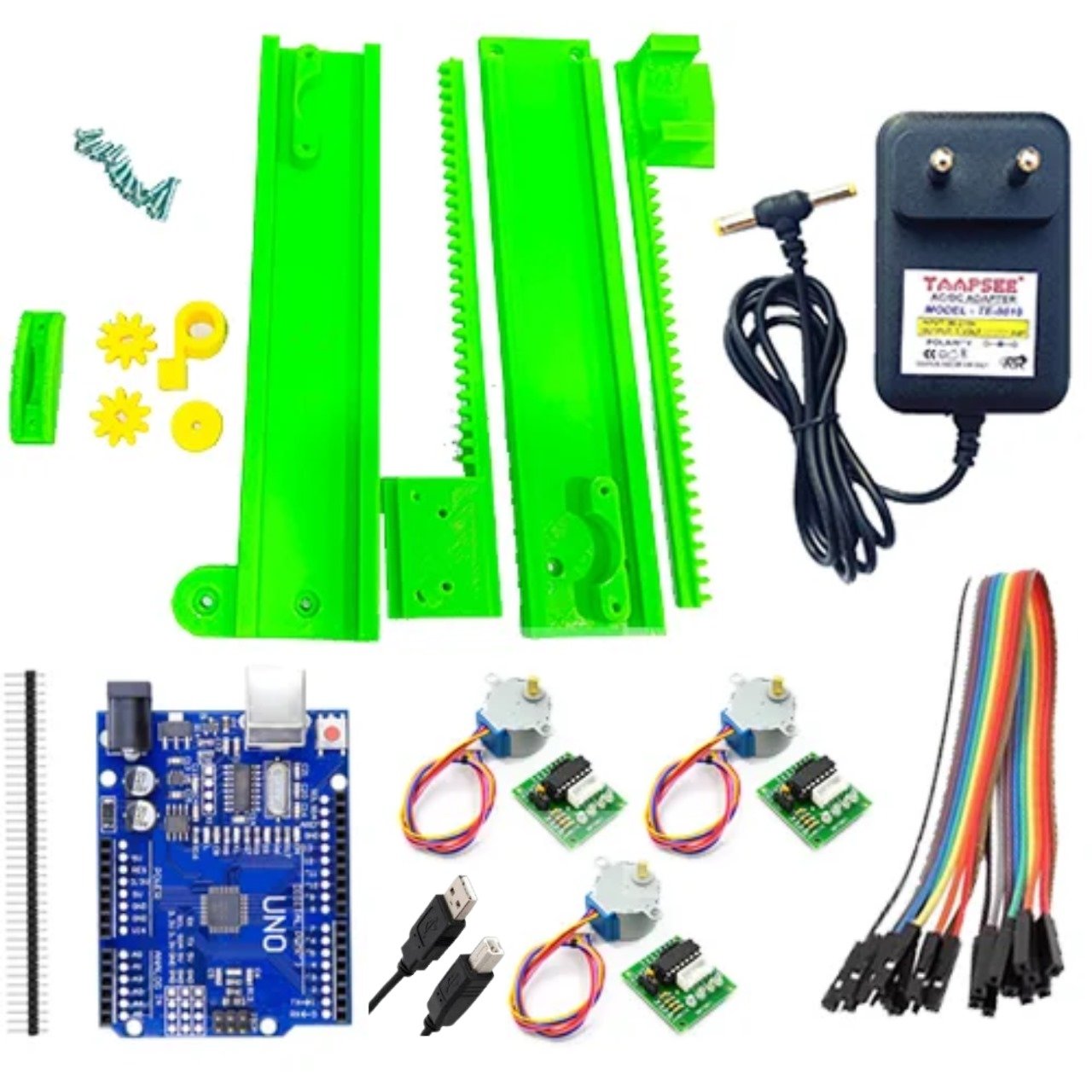
7. Kit 5: Mini CNC Plotter — From Drawing to Engraving
What it is:
The mini CNC Plotter (“compact engraving/drawing machine”) from SmartXProKits comes with 3D-printed frame, motors included, electronics. It allows you to draw, engrave or plot precise patterns, possibly even PCBs. SmartXprokits
What you’ll Learn:
CNC basics: GRBL controllers, stepper motors, controlling X/Y/Z (or at least X/Y) axes. SmartXprokits
Precision and reproducibility: making sure movements are smooth, minimizing backlash etc.
Using software / firmware for CNC: inputting designs, converting to G-code, controlling speed.
Frame design & stability: the mechanical part matters a lot.
Why it’s versatile:
This kind of machine isn’t just for robotics — you can make art, engravings, even prototype PCBs. Good investment for someone wanting a multipurpose maker tool.
8. Key Learning Outcomes & Skills You’ll Gain
Putting together these kits gives you:
Electronics & Wiring: connecting motors, boards, power, possibly sensors or wireless modules.
Programming: Arduino code, movement logic, maybe wireless/bluetooth control.
Mechanical Design & Construction: 3D-printed parts, alignment, physical structure.
Motion & Kinematics: walking robots, multi-leg coordination, robot hand joints.
CNC & Precision Control: learning to move with accuracy; software/hardware interaction.
Problem Solving & Debugging: fixing mechanics, dealing with loose connections, adjusting code.
Creativity & Customization: once the basekit is working, you can add features (sensors, aesthetics etc.).
These are strong skills for STEM students, hobbyists, makers, or even future robotics / engineering students.
9. How to Choose the Right Kit for Your Level & Goals
Here are factors to help you pick:
| Factor | What to Check / Ask Yourself |
|---|---|
| Skill Level | Are you totally new, or do you have experience with Arduino / electronics / 3D printing? |
| Tools & Materials Available | Do you own a 3D printer (or access to one), soldering tools, power supplies, etc.? |
| Space & Budget | CNC plotter may need space & more precise parts; walking robots may need spare servos. |
| Intended Use | Is it for learning, school project, demonstration, or as a hobby? |
| Support & Documentation | Good manuals, example code, community forums are very helpful. |
| Expandability | Can you add sensors, change movement behaviors, or upgrade? |
| Safety | For moving robots, ensure safe parts; for wireless control, ensure stable connections; for CNC, ensure secure mounting etc. |
Conclusion
SmartXProKits offers powerful combo kits that enable makers to build, code, and innovate—from wireless robotic hands to walking bots and CNC plotters. These aren’t just toys: each project brings real learning and creative satisfaction.