



















Build Your Own Robotic Arm / Prosthetic Hand (Arduino + 3D Printing)
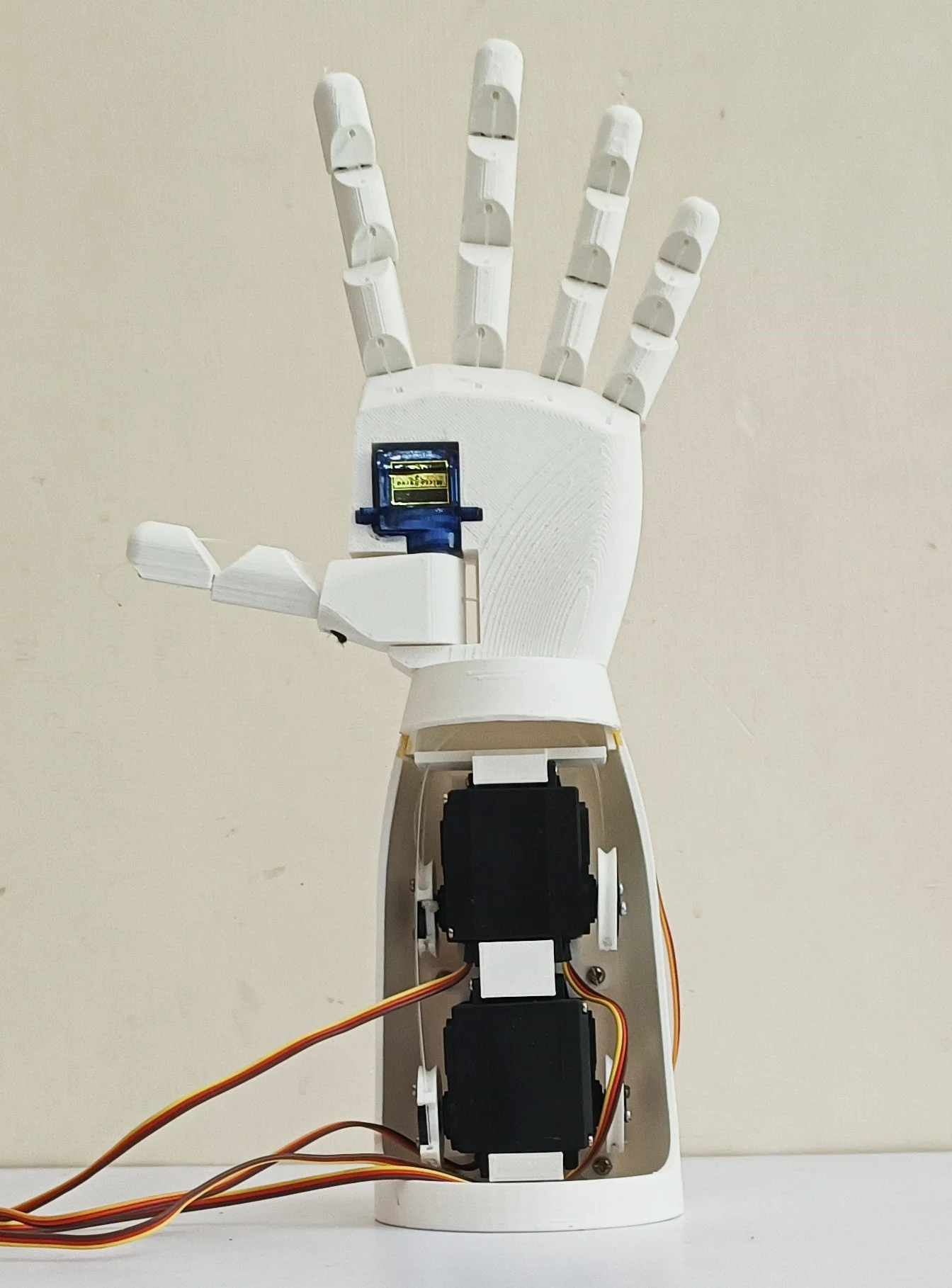
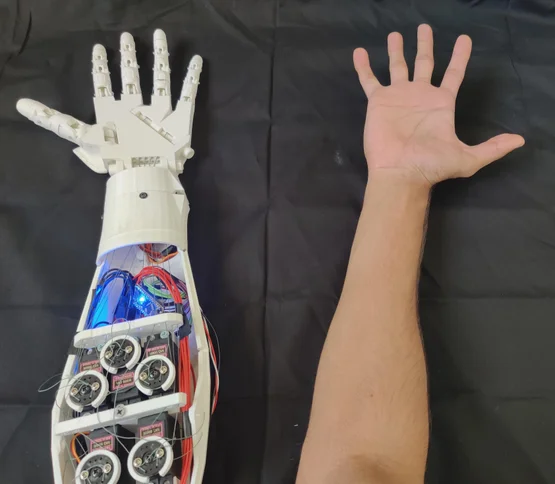
In this project, students will build a robotic arm (prosthetic hand) that moves its fingers using servo motors. The design can be 3D-printed, assembled, and controlled with Arduino. For advanced versions, an EMG sensor can be added to detect muscle signals.
This is a fantastic school teamwork project that combines mechanics, electronics, and coding.
🛠️ Materials Needed
3D-printed hand parts (palm, fingers, joints)
4–5 Servo motors (SG90 or MG90S)
Arduino Uno (or Nano)
Breadboard + jumper wires
Power supply (5V battery pack or USB)
Elastic thread / fishing line (for finger tendons)
Optional: EMG sensor module (for muscle control)
🏗️ Step 1: 3D Print & Prepare Parts
Print the palm, fingers, and joints from the provided STL files.
Clean edges and test finger fit.
Thread elastic cord through the fingers to act as tendons (helps fingers return to rest).
👉 If no 3D printer is available, make a cardboard version with straws and thread.
🔧 Step 2: Assemble the Hand
Fix servo motors inside the palm base.
Connect nylon/fishing line from servo horns to each finger.
Route elastic bands at the back of the fingers for return action.
Test each servo’s movement to ensure smooth finger bending.
⚡ Step 3: Wiring the Electronics
Servo motors → Arduino pins (D3, D5, D6, D9, D10).
Servo power (VCC → 5V, GND → GND).
If using EMG sensor:
EMG OUT → Arduino A0 (analog pin).
VCC → 5V, GND → GND.
💻 Step 4: Arduino Code
Here’s a basic servo finger control code:
#include <Servo.h>
// ——– Robotic Hand Servo Setup ——–
// Each finger controlled by its own servo
Servo thumb;
Servo indexF;
Servo middleF;
Servo ringF;
Servo pinky;
void setup() {
// Attach each servo to its corresponding pin
thumb.attach(3); // Thumb
indexF.attach(5); // Index Finger
middleF.attach(6); // Middle Finger
ringF.attach(9); // Ring Finger
pinky.attach(10); // Pinky Finger
// Initialize hand in open position
openHand();
delay(1000);
}
void loop() {
// Close the hand
closeHand();
delay(2000);
// Open the hand
openHand();
delay(2000);
}
// ——– Function to Open Hand ——–
void openHand() {
thumb.write(30);
indexF.write(30);
middleF.write(30);
ringF.write(30);
pinky.write(30);
}
// ——– Function to Close Hand ——–
void closeHand() {
thumb.write(150);
indexF.write(150);
middleF.write(150);
ringF.write(150);
pinky.write(150);
}
👉 This makes the hand open and close repeatedly.
👉 For EMG control, map sensor values to finger angles.
📱 Step 5: Optional EMG Control
If you add an EMG sensor (muscle sensor):
When you contract your forearm, the sensor outputs a signal.
Arduino reads this signal (0–1023).
If the value crosses a threshold, it closes the hand.
Sample code snippet:
#include <Servo.h>
// Create servo objects for each finger
Servo thumb;
Servo indexF;
Servo middleF;
Servo ringF;
Servo pinky;
// EMG sensor input pin
int emgPin = A0;
int val = 0; // Variable to store EMG sensor value
void setup() {
// Attach each servo to a specific pin
thumb.attach(3);
indexF.attach(5);
middleF.attach(6);
ringF.attach(9);
pinky.attach(10);
// Start serial monitor for debugging
Serial.begin(9600);
}
void loop() {
// Read EMG sensor value
val = analogRead(emgPin);
Serial.println(val); // For monitoring the EMG value
// Threshold to determine open or close
if (val > 500) {
// Close hand
thumb.write(150);
indexF.write(150);
middleF.write(150);
ringF.write(150);
pinky.write(150);
} else {
// Open hand
thumb.write(30);
indexF.write(30);
middleF.write(30);
ringF.write(30);
pinky.write(30);
}
delay(20); // Small delay to stabilize readings
}
Video
🤝 Teamwork Roles
Team A: 3D-print and assemble the hand.
Team B: Connect servos and wire electronics.
Team C: Upload code, test servo motion, add EMG sensor.
🚀 Extensions
Control via Bluetooth app instead of EMG.
Add voice recognition module to move fingers on voice commands.
Design a wearable glove with flex sensors to control the robotic hand.
Conclusion
By completing this project, students will have built a working robotic hand, learning how servos, Arduino, and sensors can mimic human movement.
This activity encourages creativity, problem-solving, and teamwork — and gives a glimpse into prosthetics and robotics research.